
An operating system for the whole growth loop.
The creative library is connected to the work. The work is connected to accounts and results. MuseOn’s AI support system gives our experts a shared foundation for research, production and continuous learning.
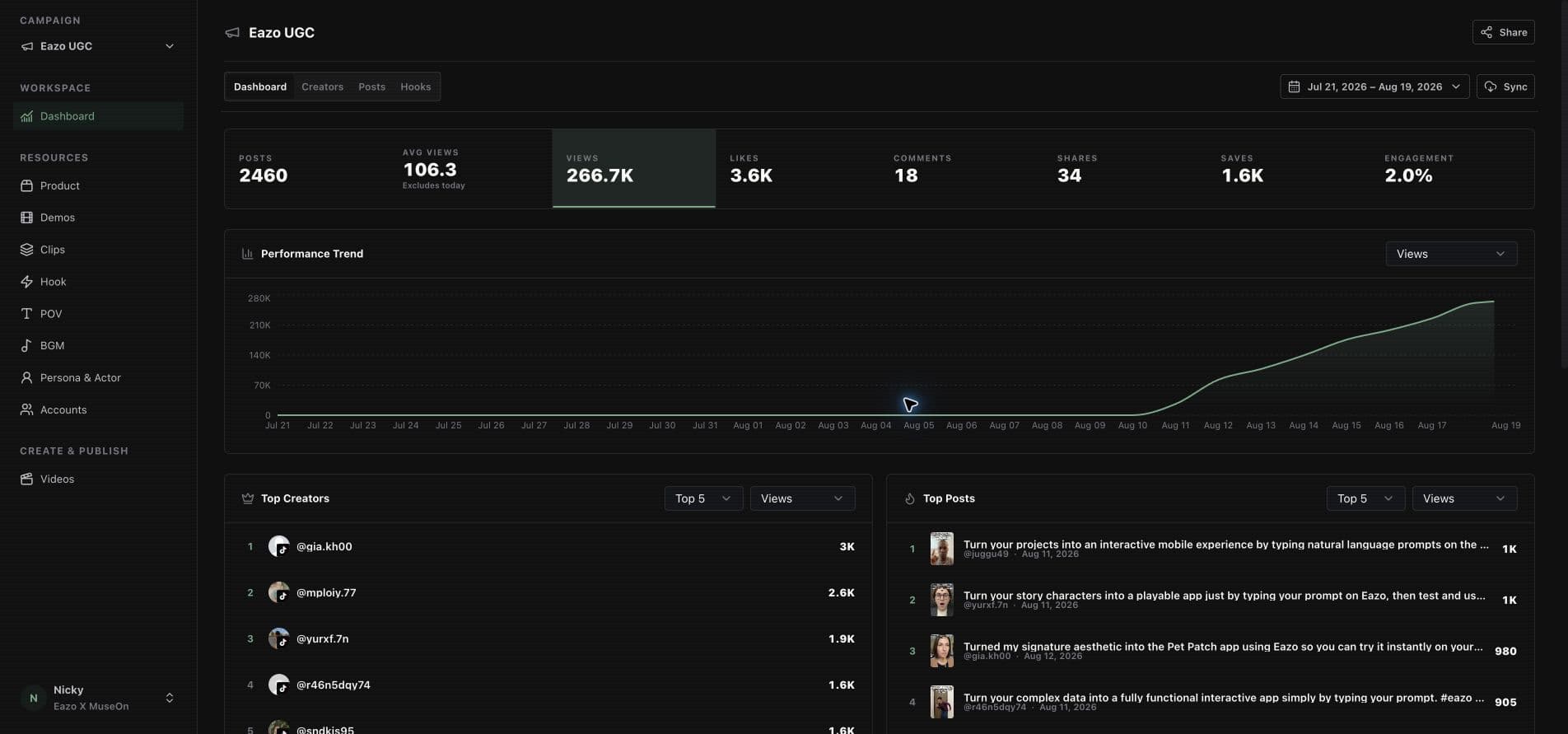
From signal to the next useful decision.
Each step has an input, an output and a human control point. The system supports this workflow through connected capabilities; it does not remove the need for judgment.
Illustrative capability workflow—not a live activity feed or a single client project.


Research the signal
Collect product context and relevant creative references to form an audience hypothesis.
- Working input
- Product context, source references and market question.
- Human control
- Experts judge relevance and whether the source supports the proposed idea.
Structure the creative
Connect hooks, demos, personas and scripts into a test plan instead of a pile of unrelated clips.
- Working input
- Creative references and authorized reusable assets.
- Human control
- Experts choose the variables, brand boundaries and production brief.
Generate and review
Create variants and inspect their quality before they enter the release plan.
- Working input
- Brief, selected assets and production settings.
- Human control
- Review product accuracy, likeness permissions and creative execution.
Run the channel
Prepare account and publishing work through the configured plans, tools and permissions.
- Working input
- Reviewed content, account scope and publishing plan.
- Human control
- Approve release responsibilities and escalate account or publishing exceptions.
Read the result
Bring available publishing and performance data back into the operating view.
- Working input
- Publication records, source metrics and reporting window.
- Human control
- Check coverage, attribution and limitations before interpreting performance.
Keep the learning
Carry useful creative findings and licensed assets into the next brief.
- Working input
- Performance review and the decision on the next test.
- Human control
- Choose what to repeat, change or retire. Keep the rights and context attached.
A library built to inform the next test.
Hooks, personas and product demos make creative work reusable. The point is not to repeat the same clip—it is to preserve what the idea was, how it was expressed and what should be tested next.
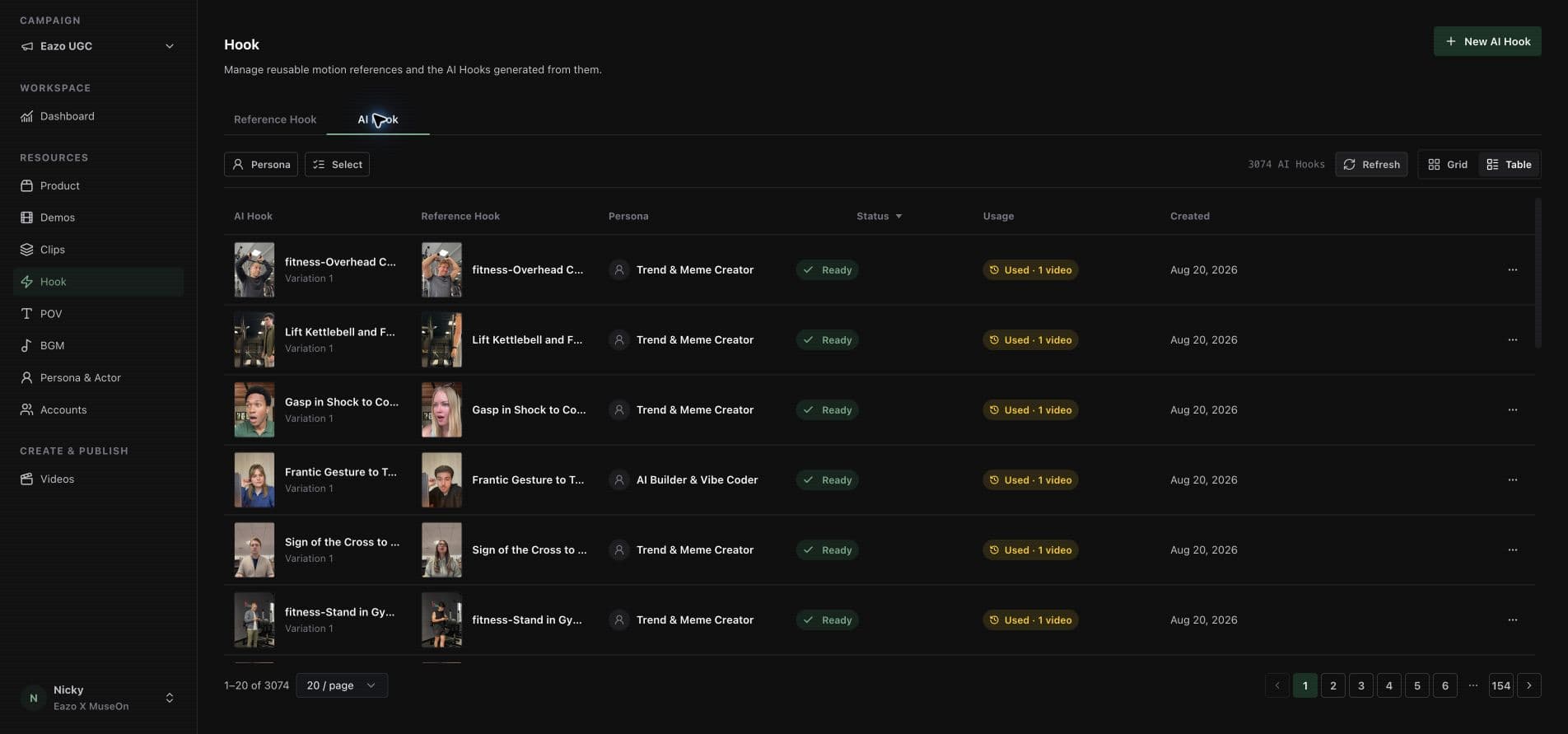
- References with context
- Keep the source material close to the creative idea. A reference is inspiration and evidence, not blanket permission to reuse a person’s face or content.
- Variants with a reason
- Change the hook, persona, script or presentation deliberately. More generated files alone do not make a better experiment.
- Results with boundaries
- Review the available time window and platform scope. Missing data is not zero performance, and views are not revenue.
The next brief starts further ahead.
A useful test leaves behind a clearer hypothesis, reviewable artifacts and reusable learning. Reuse is bounded by the rights to each asset and the engagement scope.
See the complete pitch and examplesOne support system. Different ways in.
Managed delivery and product access are related, but they are not the same purchase. We make the access boundaries explicit.
- Customer-facing products
- MuseOn OS supports real-creator matrix management. HireAICreator supports AI-account operations. Mel provides agent-based product capabilities.
- Your enabled workspace
- Libraries, accounts, plans, reports and available actions depend on the product, your role and what has been configured for your team.
- Internal operations
- Staff-only global libraries, operating controls and infrastructure are not automatically included in a self-service account.
See the system behind your growth work.
Explore the products directly, or ask us to scope an expert-led engagement. We will make clear what your team can see, approve and operate.
Explore product access